 TAP ZAP
The shortlist, by need
These are recommendations for different jobs, rather than an overall score or a laboratory ranking.
Apple Night Shift
Included with supported Macs
Built-in warmth adjustment with manual and scheduled activation
Windows Night light
Included with Windows 10 and 11
Built-in warmth strength, sunset scheduling, and custom hours
f.lux
Free for personal use
Time-of-day color transitions, app exclusions, and special color modes
f.lux product page · f.lux FAQ and licensing · f.lux Windows features · f.lux Mac guide
LightBulb
Free; source available under MIT license
Gamma transitions, manual or solar schedules, app whitelist, and hotkeys
Start with the course material you actually read
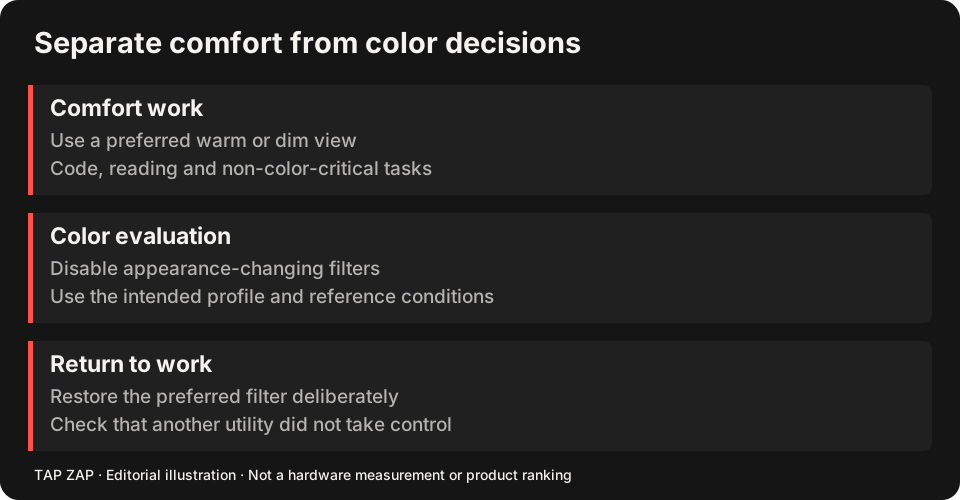
Open one page of your annotated lecture PDF, a chart with colored series, and your note-taking app. A strong red filter may make blue highlights, red/green categories or syntax colors harder to distinguish. Test a modest setting before assuming the strongest preset is the most useful for revision.
For scanned PDFs, image dimming darkens the paper texture too; watch faint pencil marks and pale axis labels. For digital documents, an app’s own dark theme may keep the text readable with fewer whole-display changes. These are usability choices, not measured improvements in learning or sleep.
Managed computers: permission is a real constraint
On a school-managed laptop, check the institution’s installation rules before adding software. Use available built-in display settings if permitted. Do not bypass management restrictions to install a filter, and do not assume a personal-use license covers a centrally managed deployment. f.lux workplace/deployment distinction
For a personal computer, use the Mac guide or Windows guide. The Night Shift comparison and Night light comparison show what the included controls can do before a purchase.
A study-session setup you can reverse
In a shared room, set hardware brightness to a comfortable level and choose mild warmth. If the minimum hardware setting still leaves a bright document, evaluate modest software dimming; do not force the screen to 100% just to follow a generic recommendation.
The dimming guide explains the tradeoff in dark detail. If you need normal colors in a diagram editor, consider f.lux’s documented current-app disabling or LightBulb’s Windows whitelist; compare f.lux and LightBulb before replacing them with a manual toggle. Mac app disabling Windows whitelist
- Choose a chapter containing text, annotations and a color-coded diagram.
- Set mild warmth; check that all annotations remain distinct.
- Try a lecture video and note-taking split view, then toggle the filter off.
- Repeat when moving from the study room to the library; lighting and permitted settings may differ.
Keep the spending decision separate from the course task
If a free option passes the material test, keep it. Tap Zap’s $39 USD purchase includes three devices and lifetime updates, but no free desktop trial; the 30-day refund policy is the evaluation route. The budget guide compares license economics. This page focuses on coursework and installation constraints, not a student discount or a claim that paid warmth improves grades.
Sources and scope
Researched on 3 October 2026 using official product pages and documentation. Tap Zap’s maintained source was also checked for its controls and known compatibility limits. We did not conduct controlled hardware, medical, or performance tests for this article. Prices and features can change; confirm current terms before purchase.
- f.lux FAQ and licensing
- f.lux product page
- f.lux Mac guide
- f.lux Windows features
- LightBulb features and releases
- LightBulb MIT license
- Microsoft Night light and display guide
- Apple Night Shift guide
Known Tap Zap limitation: some M5 Pro/Max configurations remain unresolved. Mac/Windows has no free trial; see the FAQ and refund policy. The Linux edition is a separate free experimental beta.
See Tap Zap on your setup.
Check requirements and installation details before choosing the paid Mac/Windows edition. A free option may cover everything you need.