Publisher and responsibility
Tap Zap publishes these guides. Rusty, Tap Zap’s founder and developer, is responsible for the site; see the contact page. We make and sell one of the products being compared. These are publisher comparisons, not independent product reviews or medical advice. We do not claim clinical credentials for the editorial team.
We recommend built-in controls and free competitors when their documented features cover the reader’s task. A paid recommendation must explain the additional control or workflow that could justify its cost.
How comparisons are researched
- Use official vendor documentation, support pages, repositories and published terms for platforms, features, prices and licensing. Link those sources in each article.
- Check Tap Zap’s maintained source and known issues for implementation details. Code establishes intended behavior; it does not prove compatibility or visible output on every display.
- Separate a documented fact from an editorial recommendation. An unlisted feature is not assumed absent, and a shortlist is not a market-share or performance ranking.
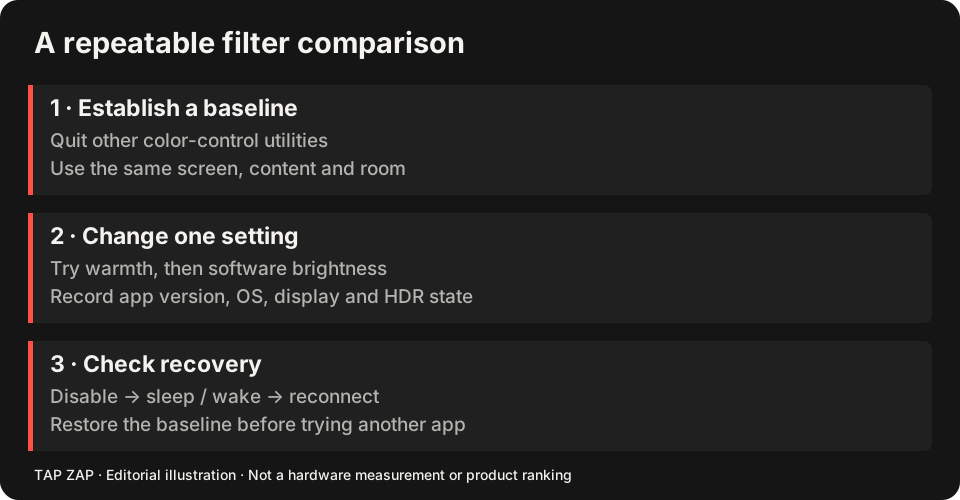
- Give a repeatable reader checklist, including a baseline, one active color controller, text and gradient checks, and recovery after wake or reconnect.
- Review conflicts and limitations before publication, including unresolved M5 Pro/Max configurations, HDR interactions, color-critical work and the separate experimental Linux beta.
What the evidence can establish
The comparison research was collected on 3 October 2026 and the material editorial revision was published on 10 October 2026. Each article distinguishes research, publication and update dates. Competitor terms can change; check the linked official page before purchase.
This collection is based on documentation and Tap Zap source review. It does not contain a controlled hands-on comparison of the products, a measured compatibility matrix, a clinical trial or a calibrated optical benchmark. We will label a future test with the app and OS versions, display model, connection, settings, method and date so its result can be assessed.
Screenshots illustrate visible interface controls. They cannot establish a physical light spectrum, PWM frequency, modulation depth or health outcome. Existing developer-supplied interface captures are labeled as such; an old “PWM-SAFE MODE” UI label is not a safety certification. Our original diagrams are conceptual teaching illustrations, not measured waveforms.
The camera banding tool reports camera-image observations. Rolling shutter, exposure and aliasing limit what bands can tell you. Physical flicker claims need suitable optical measurements with a documented method.
How we discuss research
We link primary research and describe the intervention it actually tested. A study of room light, laboratory light exposure or a particular display setting is not a clinical evaluation of Tap Zap. A warmer-looking screenshot is not a spectral measurement. See research and evidence limits.
Comfort is individual. These guides help readers compare settings and workflows; they do not diagnose symptoms or promise to treat eye strain, sleep disorders or other conditions.
Corrections and updates
Report a factual error, broken link or changed vendor term through Contact Tap Zap. Include the article URL, the statement, and an official source or reproducible details. For compatibility reports, include the OS and app versions, display model, connection and HDR state; do not send a license key in a public report.
We update the article and its material modification date when the correction changes the reader’s decision. If two pages answer the same task, we consolidate useful material and redirect the retired URL to the retained guide.