 TAP ZAP
The shortlist, by need
These are recommendations for different jobs, rather than an overall score or a laboratory ranking.
Apple Night Shift
Included with supported Macs
Built-in warmth adjustment with manual and scheduled activation
Windows Night light
Included with Windows 10 and 11
Built-in warmth strength, sunset scheduling, and custom hours
f.lux
Free for personal use
Time-of-day color transitions, app exclusions, and special color modes
f.lux product page · f.lux FAQ and licensing · f.lux Windows features · f.lux Mac guide
LightBulb
Free; source available under MIT license
Gamma transitions, manual or solar schedules, app whitelist, and hotkeys
Iris
Pro $14.99; subscription $1.99/month
Color and software brightness controls with many modes and advanced options
Iris product page · Iris pricing and license terms · Iris external-monitor guide
Tap Zap
$39 USD one-time
Warmth, software brightness, and DAY / EVENING / NIGHT presets
Tap Zap product page · Tap Zap FAQ · Tap Zap downloads · Tap Zap refund policy
Compare edition, device count and updates together
Listed USD amounts below describe the reviewed packages, not a universal checkout total. Taxes, localization and current terms can differ. A low single-device price and a larger bundled license answer different needs. Iris terms Tap Zap license
| Option | Listed package | Useful cost question |
|---|---|---|
| Night Shift / Night light | Included on supported systems | Does basic warmth already cover the whole job? |
| f.lux | Free personal use; deployment terms differ | Is this individual use or centrally managed workplace use? |
| LightBulb | Free Windows app; MIT source | Do its whitelist and hotkeys meet the need? |
| Iris mini Pro | $9.99; different product from Iris Pro | Are the mini controls sufficient? |
| Iris Pro | $14.99, one device at a time; minor builds/bug fixes included, program updates excluded | Do you need one working device or future program versions? |
| Iris subscription | $1.99/month; future versions included | What time period and current subscription terms are relevant? |
| Tap Zap | $39 USD once; three devices and lifetime updates | Will you use the controls and the available seats? No free desktop trial. |
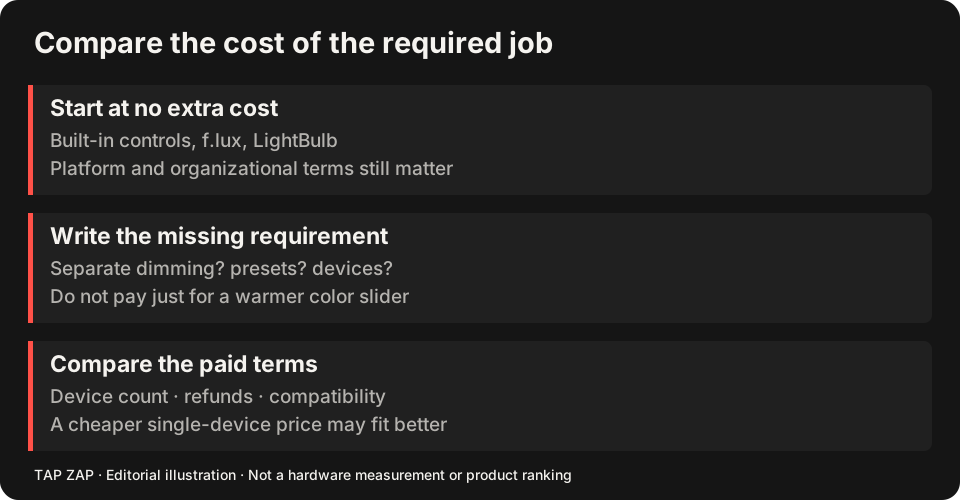
Work the device example without hiding the upfront cost
For one device, Iris Pro’s listed $14.99 is below Tap Zap’s $39 package. For three simultaneous devices, three Iris Pro licenses would total $44.97 at the listed price, while one Tap Zap package is $39. The update terms and required features still differ; this arithmetic does not make either product better. Three free installations cost no license fee if those tools meet the task.
For example, a Windows desktop plus a Mac laptop can use LightBulb and Night Shift for free. Tap Zap can cover both within three seats, but you still pay $39 upfront. Treat an unused third seat as available capacity, not money saved against a purchase you never needed.
Name the paid job before opening checkout
Useful reasons to pay include a preferred image-dimming workflow, advanced tools you actually use, or a verified display path that free options do not cover. Read Tap Zap vs Iris for tools/terms, Tap Zap vs f.lux for free dimming/red modes, and Tap Zap vs LightBulb for exclusions and shortcuts.
Use the Mac or Windows guide to select compatible candidates. Software dimming has tonal and display-path tradeoffs; a price alone does not establish optical or medical superiority.
A refund policy is different from a free trial
Tap Zap has no free Mac/Windows trial and publishes a 30-day refund policy. Read it before buying. Some affected M5 Pro/Max setups remain unresolved, and Linux is a separate free experimental beta. Do not spend expecting a compatibility fix that has not been established. Tap Zap refund policy
- Test the included/free option against one specific daily task.
- Identify the missing feature and the exact paid edition that provides it.
- Check device count, updates, compatibility and refund terms.
- Keep the free setup if the paid workflow does not add reliable value.
Sources and scope
Researched on 3 October 2026 using official product pages and documentation. Tap Zap’s maintained source was also checked for its controls and known compatibility limits. We did not conduct controlled hardware, medical, or performance tests for this article. Prices and features can change; confirm current terms before purchase.
- f.lux FAQ and licensing
- f.lux product page
- f.lux Mac guide
- f.lux Windows features
- Iris external-monitor guide
- Iris pricing and license terms
- Iris product page
- LightBulb features and releases
- LightBulb MIT license
- Microsoft Night light and display guide
- Apple Night Shift guide
- Tap Zap downloads
- Tap Zap FAQ
- Tap Zap product page
- Tap Zap refund policy
Known Tap Zap limitation: some M5 Pro/Max configurations remain unresolved. Mac/Windows has no free trial; see the FAQ and refund policy. The Linux edition is a separate free experimental beta.
See Tap Zap on your setup.
Check requirements and installation details before choosing the paid Mac/Windows edition. A free option may cover everything you need.