 TAP ZAP
The shortlist, by need
These are recommendations for different jobs, rather than an overall score or a laboratory ranking.
f.lux
Free for personal use
Time-of-day color transitions, app exclusions, and special color modes
f.lux product page · f.lux FAQ and licensing · f.lux Windows features · f.lux Mac guide
LightBulb
Free; source available under MIT license
Gamma transitions, manual or solar schedules, app whitelist, and hotkeys
Tap Zap
$39 USD one-time
Warmth, software brightness, and DAY / EVENING / NIGHT presets
Tap Zap product page · Tap Zap FAQ · Tap Zap downloads · Tap Zap refund policy
Iris
Pro $14.99; subscription $1.99/month
Color and software brightness controls with many modes and advanced options
Iris product page · Iris pricing and license terms · Iris external-monitor guide
Use a small acceptance fixture from your own work
Open a diff with added/deleted lines, a terminal with success/warning/error output, and a browser page you maintain. Strong warmth or red-oriented settings can collapse color distinctions even when ordinary body text is readable. Check signs, labels and contrast in addition to hue.
Try the same fixture with mild warmth and then modest dimming. The RGB mapping reference explains why compressing channel values can remove separation; it does not imply your specific display is calibrated or optically measured.
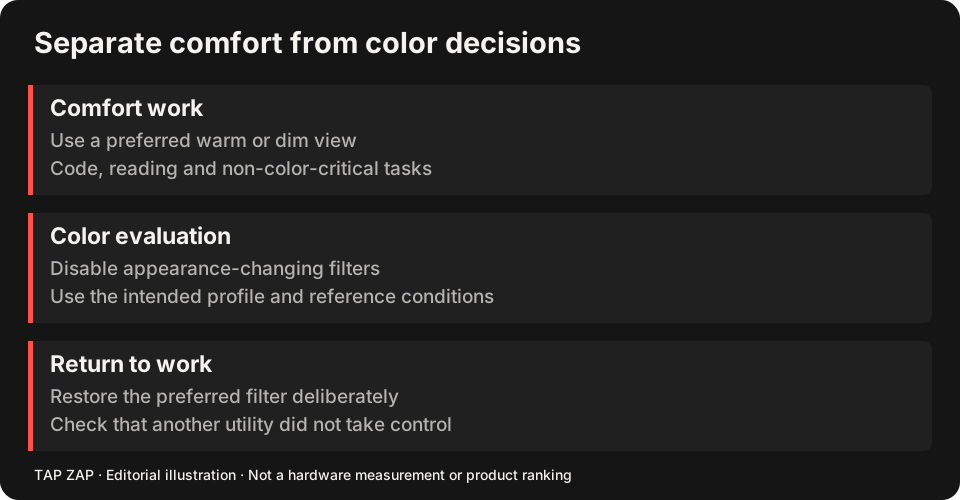
Make normal colors easy to recover
If you review UI colors frequently, test an app exclusion. f.lux on Mac documents Disable → For current app, and LightBulb on Windows documents a whitelist. Enter and leave the editor to verify the behavior. A browser exclusion may disable warmth for every tab, which is a different workflow from a dedicated design app. f.lux app disabling LightBulb whitelist
Compare f.lux’s controls and LightBulb’s controls with Tap Zap’s manual ZAP toggle. Do not assume automatic exclusion parity. Use the Mac or Windows guide for the platform decision.
Distinguish a screenshot artifact from the physical display
Before filing a visual bug or approving color, disable the filter and check ordinary appearance. Some adjustment paths can affect capture differently from what the panel displays. Compare the capture on an unfiltered reference screen when color itself is the report. A screenshot of a dark desktop cannot establish PWM or emitted spectrum.
If one terminal or fullscreen window ignores the adjustment, record the app version, display mode, HDR, GPU and renderer path. Avoid changing the theme, driver and filter simultaneously; that destroys the comparison.
A reversible developer workflow
Tap Zap’s EVENING preset and BRIGHTNESS slider can be convenient during text work, but DAY still applies warmth. ZAP off is the ordinary-appearance comparison. The dimming article covers tonal limits; the Iris comparison is relevant if you need tools beyond warmth and brightness.
- Keep a diff, terminal palette and UI sample open.
- Check each status category at the chosen warmth and brightness.
- Verify the app exception or manual off step before a screenshot/color review.
- After sleep or dock reconnect, repeat the fixture and Quit restoration test.
Sources and scope
Researched on 3 October 2026 using official product pages and documentation. Tap Zap’s maintained source was also checked for its controls and known compatibility limits. We did not conduct controlled hardware, medical, or performance tests for this article. Prices and features can change; confirm current terms before purchase.
- f.lux FAQ and licensing
- f.lux product page
- f.lux Mac guide
- f.lux Windows features
- Iris external-monitor guide
- Iris pricing and license terms
- Iris product page
- LightBulb features and releases
- LightBulb MIT license
- Tap Zap downloads
- Tap Zap FAQ
- Tap Zap product page
- Tap Zap refund policy
Known Tap Zap limitation: some M5 Pro/Max configurations remain unresolved. Mac/Windows has no free trial; see the FAQ and refund policy. The Linux edition is a separate free experimental beta.
See Tap Zap on your setup.
Check requirements and installation details before choosing the paid Mac/Windows edition. A free option may cover everything you need.