A lookup between the image and display output
A display transfer table maps an input channel value to an output value. Separate red, green and blue mappings can change color balance; changing their range can darken the image. A full color matrix is another image-transform method, not the same representation as a one-dimensional lookup for each channel.
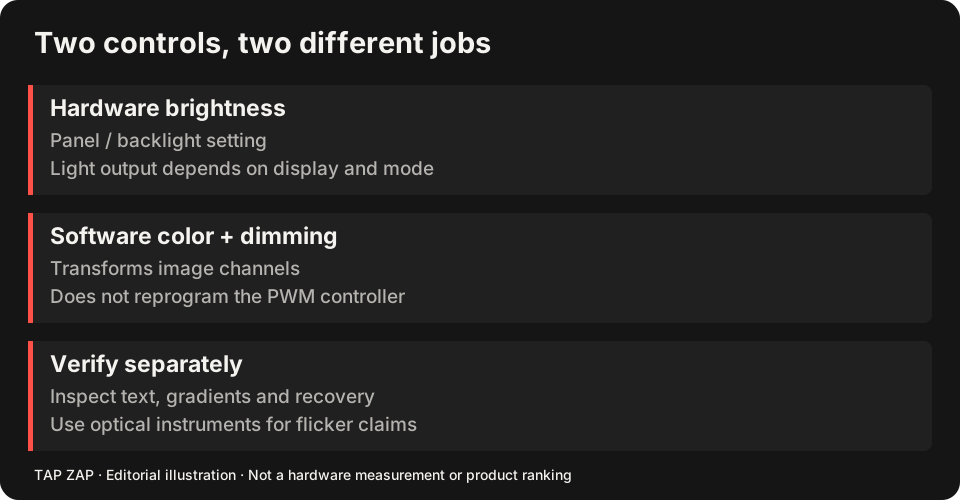
Tap Zap’s maintained Mac source uses CoreGraphics transfer-table adjustments. Windows uses a Magnification API color matrix by default and gamma ramps in Legacy Mode. These distinct image paths matter when troubleshooting compatibility. Neither representation reprograms the panel’s PWM controller.
A deliberately simple RGB mapping
Use an illustrative transform R_out = 0.6 × R_in, G_out = 0.4 × G_in, B_out = 0.2 × B_in. The unequal channel multipliers make neutral input redder while compressing the output range. These are normalized code values, not measured luminance, and this is not a claim about Tap Zap’s exact preset curve.
| Neutral input RGB | Illustrative output RGB | What it shows |
|---|---|---|
| (0, 0, 0) | (0, 0, 0) | Black remains zero in this toy mapping. |
| (0.25, 0.25, 0.25) | (0.15, 0.10, 0.05) | A dark neutral becomes darker and red-biased. |
| (0.50, 0.50, 0.50) | (0.30, 0.20, 0.10) | Mid-code gray is no longer neutral. |
| (1, 1, 1) | (0.60, 0.40, 0.20) | White no longer uses the full code range. |
Equal multipliers would preserve neutral code ratios in this simplified model. The physical result still depends on the display transfer function, profile, operating mode and panel. Half a code value is not a promise of half the emitted light.
Why gray ramps can expose a poor setting
Consider two neighboring 8-bit input values, 10 and 11. A toy 0.25 scaling rounded to the nearest integer maps both to 3. That example demonstrates possible value merging after quantization; it does not assert that the operating system uses only an 8-bit table or that every darkening operation visibly bands.
Try a smooth ramp and a stepped dark patch chart at the intended setting. Look for merged shades or obvious banding, then toggle off to compare. Keep enough detail for the task. The creative-work guide turns this into a filter-off workflow; the dimming article separates these code changes from PWM.
What a successful write establishes
An API success means the operating system accepted a request through that interface. Readback can show the stored mapping. Neither alone establishes that the physical display applied it. Another utility, a driver/compositor path or a different presentation mode can alter or bypass the visible result.
The unresolved affected M5 Pro/Max investigation includes API-success/readback-without-visible-change behavior. It is a concrete reason to keep software and physical proof separate, not evidence that every newer Mac fails. A screenshot is also insufficient to certify emitted spectrum or waveform.
Restoration and ownership matter as much as the curve
One utility can overwrite another’s transform. Quit competing filters, capture the normal profile/settings, then test modest adjustments and ordinary restoration with OFF and Quit. Repeat after sleep and connection changes. Use the setup tutorial and multi-monitor record for the sequence.
For a precise optical claim, measure the actual display under recorded conditions. For a software bug, keep OS/app versions, connection, mode, requested values, readback and visible observation together. Those evidence types answer different parts of the same failure.
About this guide
Written by Tap Zap. We make the software discussed here. Updated 10 October 2026 to distinguish product behavior from display-specific measurements and health outcomes. The linked documentation and studies explain the scope of these claims. Read our editorial policy, evidence limits and corrections process.
Compare screen controls · All guides · Downloads and compatibility