 TAP ZAP
The shortlist, by need
These are recommendations for different jobs, rather than an overall score or a laboratory ranking.
f.lux
Free for personal use
Time-of-day color transitions, app exclusions, and special color modes
f.lux product page · f.lux FAQ and licensing · f.lux Windows features · f.lux Mac guide
LightBulb
Free; source available under MIT license
Gamma transitions, manual or solar schedules, app whitelist, and hotkeys
Apple Night Shift
Included with supported Macs
Built-in warmth adjustment with manual and scheduled activation
Tap Zap
$39 USD one-time
Warmth, software brightness, and DAY / EVENING / NIGHT presets
Tap Zap product page · Tap Zap FAQ · Tap Zap downloads · Tap Zap refund policy
Define the off-state before choosing an on-state
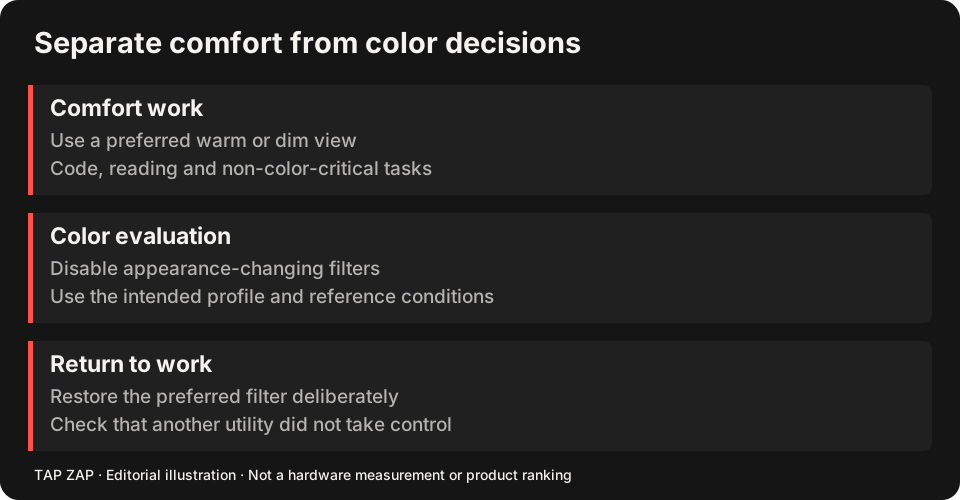
Record the active profile/reference mode, hardware brightness, HDR and any automatic color/brightness settings in your ordinary creative setup. Do not replace a known calibration with a strong warm preset and call the result accurate. A filter changes appearance even when the application and file remain color managed.
Use warmth for email, cataloging text or other tasks where exact color is not the decision. Before choosing skin tones, white balance, brand colors or a print proof, turn it off. DAY is still a TAP ZAP warmth preset; use ZAP off for the ordinary appearance comparison.
Test an app exception in the real editing application
f.lux’s Mac guide documents disabling for the current app. LightBulb’s Windows whitelist is another candidate. Enter the editor, verify ordinary appearance, switch to the browser and verify the chosen filter returns. If the editor launches a separate preview process, test that too. Mac app disabling Windows whitelist
The f.lux comparison and LightBulb comparison explain the advantage over repeated manual switching. A manual Tap Zap workflow can fit if you consistently use ZAP off; automatic exclusion parity is not claimed.
Use a gray ramp as a workflow check
Display a smooth neutral gray ramp and a stepped dark patch chart alongside a familiar reference image. With mild dimming, look for merged adjacent dark patches, banding and altered neutrality. Then turn the filter off and confirm the baseline returns. This can reveal a poor setting; it does not measure color accuracy or certify calibration.
The transfer-table example shows why output-range compression can merge values. Software-dimming tradeoffs also apply when an LCD backlight stays high while the image gets darker.
Accept the tool only if the interruption is dependable
Choose the platform path in the Mac or Windows guide. If a docked reference screen behaves differently, use the multi-monitor checklist and keep it in the known unfiltered state during critical judgments.
- Record the normal profile and display mode.
- Test a mild reading setting on noncritical work.
- Switch into the editor or use the explicit off control; compare the gray ramp and reference.
- Repeat OFF/Quit and wake/reconnect. Reject a setup whose normal appearance is uncertain.
Sources and scope
Researched on 3 October 2026 using official product pages and documentation. Tap Zap’s maintained source was also checked for its controls and known compatibility limits. We did not conduct controlled hardware, medical, or performance tests for this article. Prices and features can change; confirm current terms before purchase.
- f.lux FAQ and licensing
- f.lux product page
- f.lux Mac guide
- f.lux Windows features
- LightBulb features and releases
- LightBulb MIT license
- Apple Night Shift guide
- Tap Zap downloads
- Tap Zap FAQ
- Tap Zap product page
- Tap Zap refund policy
Known Tap Zap limitation: some M5 Pro/Max configurations remain unresolved. Mac/Windows has no free trial; see the FAQ and refund policy. The Linux edition is a separate free experimental beta.
See Tap Zap on your setup.
Check requirements and installation details before choosing the paid Mac/Windows edition. A free option may cover everything you need.