 TAP ZAP
Choose an alternative by need
| Option | Choose it when | Tradeoff to check |
|---|---|---|
| f.lux Mac and Windows; a Linux download is also listed | Free Windows scheduling, app disabling and special modes | Recreate exclusions and shortcuts; the interface and timing model differ. |
| Windows Night light Windows 10 and 11, subject to display-driver support | Included warmth with the least app management | Does not replace LightBulb’s application whitelist or configurable hotkey workflow. |
| Iris Windows, macOS, and Linux downloads are listed | A broader collection of adjustment tools | Check edition, device and update terms; test the particular display API. |
| Tap Zap macOS 12+ and Windows 10+; separate free Linux beta | Named presets and separate software dimming across Mac/Windows | Paid; do not assume automatic LightBulb whitelist or hotkey parity. |
Separate a schedule change from an app-exclusion requirement
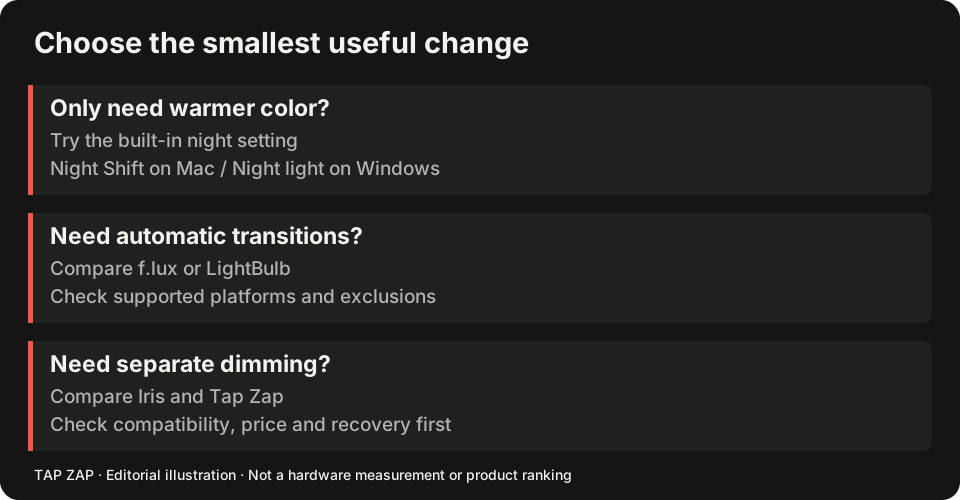
If you only need a warmer screen during set hours, Windows Night light may be a sufficient replacement. If you use LightBulb’s whitelist to preserve colors in a drawing app or game, moving to built-in warmth means replacing that behavior with manual switching. That is a meaningful loss, even though both tools change color. LightBulb feature list Night light controls
f.lux is the free shortlist option to investigate for app disabling. The f.lux comparison explains its additional modes; the Tap Zap vs LightBulb comparison focuses on presets versus customization.
Write a shortcut and whitelist acceptance list
Record each shortcut, its job, and the executable in each whitelist entry. Test a replacement while the real app is active, then after it loses focus. Watch for shortcuts already captured by an IDE or game. There is no automatic settings importer promised here.
If the failure only happens with a fullscreen game, HDR or a dock, compare that exact path. Replacing an app does not guarantee escaping a GPU/driver restriction. If you want a simpler manual workflow, check that turning the new filter off is easy enough to do every time you need ordinary color.
Pay for an added job, not a duplicate one
Iris is worth investigating when its advanced controls are the added job. Tap Zap is worth considering when you want its warmth/brightness panel and use its three-device Mac/Windows license. Both must earn their cost against LightBulb, which remains free and source available. Iris toolkit LightBulb MIT license
The Windows buying guide and budget guide compare those choices. Check gamma adjustment limits when investigating banding or tonal loss. Apple Night Shift is not a Windows alternative.
Keep a return path
Disable LightBulb’s startup and filter while testing, and keep its settings until the replacement passes.
- Try the daily schedule and every important hotkey.
- Enter and leave each whitelisted app; verify ordinary colors where required.
- Compare every display, then OFF, Quit and sleep/wake.
- Restore LightBulb if the new workflow adds cost without solving the actual missing job.
Sources and scope
Researched on 3 October 2026 using official product pages and documentation. Tap Zap’s maintained source was also checked for its controls and known compatibility limits. We did not conduct controlled hardware, medical, or performance tests for this article. Prices and features can change; confirm current terms before purchase.
- f.lux FAQ and licensing
- f.lux product page
- f.lux Mac guide
- f.lux Windows features
- Iris external-monitor guide
- Iris pricing and license terms
- Iris product page
- LightBulb features and releases
- LightBulb MIT license
- Microsoft Night light and display guide
- Tap Zap downloads
- Tap Zap FAQ
- Tap Zap product page
- Tap Zap refund policy
Known Tap Zap limitation: some M5 Pro/Max configurations remain unresolved. Mac/Windows has no free trial; see the FAQ and refund policy. The Linux edition is a separate free experimental beta.
See Tap Zap on your setup.
Check requirements and installation details before choosing the paid Mac/Windows edition. A free option may cover everything you need.