FREEOPEN SOURCELINUX BETA
Tap Zap for Linux.
Make your screen warmer, turn it red, or dim it.
Get Tap Zap for Linux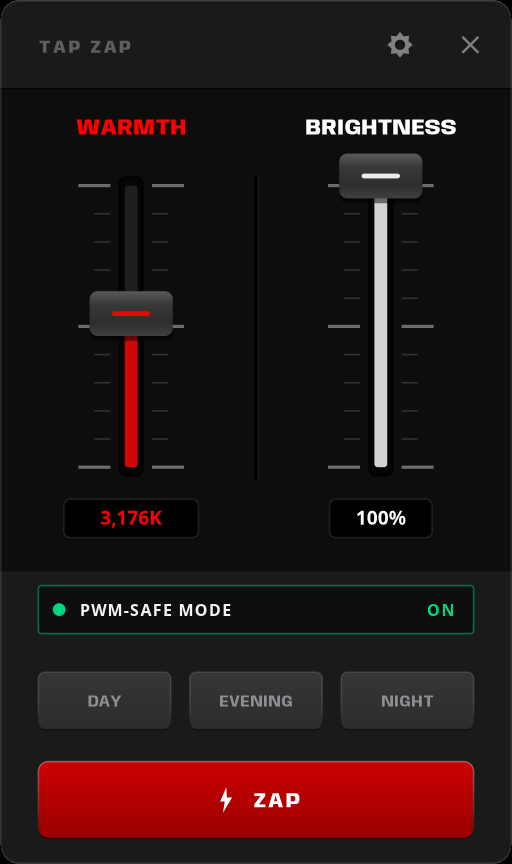
GET THE APP
Which desktop do you use?
ONE MORE THING
One quick check.
Check which session you use before downloading.
Not sure? Find out in two steps
Open Terminal, paste this, and press Enter. It shows your desktop and session.
printf 'Desktop: %s\nSession: %s\n' "$XDG_CURRENT_DESKTOP" "$XDG_SESSION_TYPE"SUPPORT / LINUX BETA
Need a hand?
Start with the right place.
System requirements and how dimming works
The beta is for 64-bit x86 Linux computers with glibc 2.38 or newer. Your setup guide lists anything else your desktop needs.
Software dimming changes display output; it does not lower the panel’s physical backlight. PWM-Safe is a separate experimental setting that adjusts hardware brightness. If anything looks wrong, use OFF or Quit.
ALSO ON MAC + WINDOWS
Tap Zap on your other computer, too.
Native editions for macOS and Windows.
 macOS
macOS Windows
ALSO AVAILABLE
Tap Zap for macOS and Windows.
OPEN SOURCE
Linux source is public.
Tap Zap for Linux is free and open source. This is an experimental beta.
GPL-3.0-or-later Linux edition license
View source on GitHub