 TAP ZAP
The shortlist, by need
These are recommendations for different jobs, rather than an overall score or a laboratory ranking.
Windows Night light
Included with Windows 10 and 11
Built-in warmth strength, sunset scheduling, and custom hours
LightBulb
Free; source available under MIT license
Gamma transitions, manual or solar schedules, app whitelist, and hotkeys
f.lux
Free for personal use
Time-of-day color transitions, app exclusions, and special color modes
f.lux product page · f.lux FAQ and licensing · f.lux Windows features · f.lux Mac guide
Tap Zap
$39 USD one-time
Warmth, software brightness, and DAY / EVENING / NIGHT presets
Tap Zap product page · Tap Zap FAQ · Tap Zap downloads · Tap Zap refund policy
Choose whether the game should be filtered at all
A strategy game’s team colors, a racing game’s brake indicators and a dark game’s shadow detail impose different requirements. Open a repeatable scene or practice area and check the HUD, enemy/friendly categories, menus and near-black detail. Start with mild warmth; maximum red is not automatically a useful gaming setting.
For HDR titles, preserve the game’s intended setup while making one comparison at a time. Do not interpret an SDR desktop result as HDR compatibility. No frame-rate, input-lag or anti-cheat ranking was measured for this guide.
App exclusions can be the winning feature
LightBulb documents a whitelist and hotkeys; f.lux documents application disabling on Windows. Test the game executable, not only its launcher, and confirm that returning to the desktop restores the filter. Check shortcut collisions with in-game actions. LightBulb features f.lux Windows features
The LightBulb comparison and f.lux comparison explain what a switch to manual presets changes. If the goal is warm browsing between games, a working automatic exclusion may solve the whole requirement.
Fullscreen behavior needs an exact test
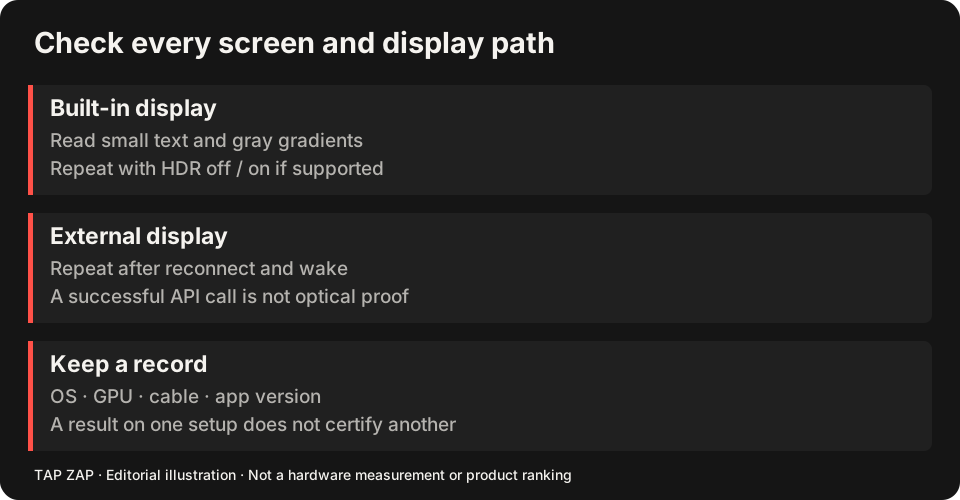
Record game/build, OS, GPU/driver, display, refresh rate, HDR and window mode. Compare windowed, borderless and exclusive fullscreen only when the title offers them, with one filter active. Note whether the result reaches the actual game, HUD and video playback.
Tap Zap’s default Windows path uses a color matrix; Legacy Mode uses gamma ramps. Those paths can have different behavior, and switching is an evaluation step rather than a promise of universal game support. Keep the original working state available and stop if colors do not restore.
A short gaming acceptance record
The Windows pillar and Night light comparison cover free versus paid desktop choices. Use software-dimming tradeoffs to interpret lost shadow detail, and display-path notes when a dock or second monitor is involved.
- Save the unfiltered scene and mode settings as your baseline.
- Apply modest warmth/dimming and inspect HUD distinctions and shadow detail.
- Alt-tab or exit normally; confirm the desktop and game each restore as intended.
- Repeat after sleep/wake before relying on the setup; report the exact combination if it fails.
Sources and scope
Researched on 3 October 2026 using official product pages and documentation. Tap Zap’s maintained source was also checked for its controls and known compatibility limits. We did not conduct controlled hardware, medical, or performance tests for this article. Prices and features can change; confirm current terms before purchase.
- f.lux FAQ and licensing
- f.lux product page
- f.lux Mac guide
- f.lux Windows features
- LightBulb features and releases
- LightBulb MIT license
- Microsoft Night light and display guide
- Tap Zap downloads
- Tap Zap FAQ
- Tap Zap product page
- Tap Zap refund policy
Known Tap Zap limitation: some M5 Pro/Max configurations remain unresolved. Mac/Windows has no free trial; see the FAQ and refund policy. The Linux edition is a separate free experimental beta.
See Tap Zap on your setup.
Check requirements and installation details before choosing the paid Mac/Windows edition. A free option may cover everything you need.