 TAP ZAP
Choose an alternative by need
| Option | Choose it when | Tradeoff to check |
|---|---|---|
| f.lux Mac and Windows; a Linux download is also listed | Free Mac schedule, current-app disabling and Darkroom | More setup than Night Shift; external-display behavior still needs checking. |
| Iris Windows, macOS, and Linux downloads are listed | Mac color and brightness tools with more adjustment options | Confirm the Mac edition and license; its Windows USB-display API does not apply. |
| Tap Zap macOS 12+ and Windows 10+; separate free Linux beta | Mac software-brightness slider and named presets | Paid with no free desktop trial; some M5 Pro/Max setups remain unresolved. |
Need more automation? Try f.lux first
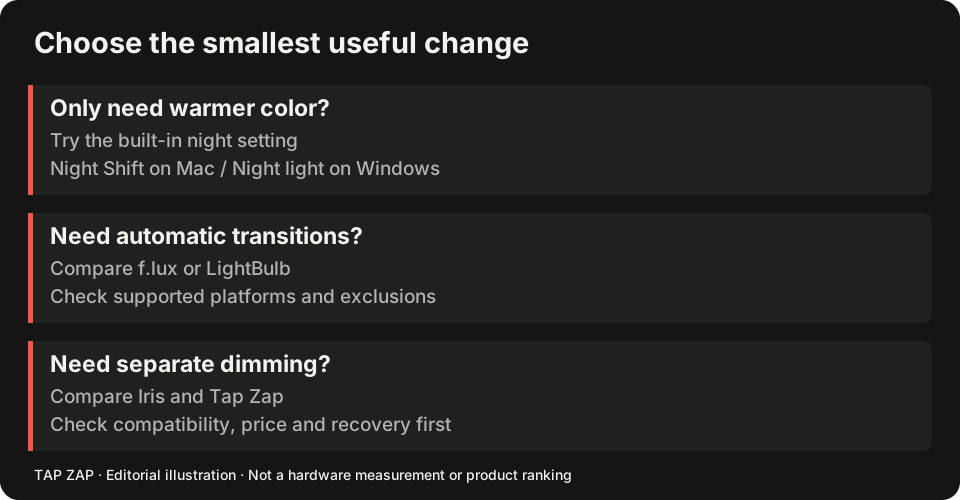
Night Shift provides manual activation, custom hours and sunset scheduling. f.lux’s Mac guide adds a location/wake-time model, temporary disabling and disabling when the current app is active. That makes it useful if you read in a browser but need ordinary colors in an editor. Apple controls Mac scheduling and exclusions
Before paying for anything, try the documented free controls you are missing. The f.lux comparison also gives its red mode and dimming capabilities proper credit.
Need image dimming? Compare Iris and Tap Zap
Apple’s warmth slider and your hardware brightness setting do different jobs. Iris lists software brightness among its tools. Tap Zap presents WARMTH, BRIGHTNESS and DAY / EVENING / NIGHT in one panel. Use the same white document and dark gradient to judge the result, with Night Shift off. Iris controls
Image dimming can lose tonal separation and does not establish that panel modulation has stopped. Read software dimming and PWM, then the two-product Night Shift comparison if Tap Zap is your likely choice.
Mac compatibility outranks the feature list
Record the Mac model, macOS build, display model, connection, HDR and active profile. Apple documents supported hardware and external-display restrictions. Tap Zap’s unresolved affected M5 Pro/Max cases cannot be described as fixed. Iris’s high-level USB-display API is a Windows feature, not a Mac workaround. Apple requirements Iris platform limits
Use the Mac buying guide for the decision table and the monitor checklist for direct and docked displays. Windows Night light and LightBulb are Windows choices and do not belong in a Mac install shortlist.
Switch without stacking filters
Take a screenshot of your Night Shift settings as a private reminder of the schedule, then turn its schedule and manual activation off. Test one replacement at a time.
- Confirm ordinary colors with all filters off.
- Set modest warmth, then adjust brightness separately.
- Try app disabling or presets only if that is your reason to switch.
- Check OFF, Quit and wake on each display; restore Night Shift if the extra control is not useful.
Sources and scope
Researched on 3 October 2026 using official product pages and documentation. Tap Zap’s maintained source was also checked for its controls and known compatibility limits. We did not conduct controlled hardware, medical, or performance tests for this article. Prices and features can change; confirm current terms before purchase.
- f.lux FAQ and licensing
- f.lux product page
- f.lux Mac guide
- f.lux Windows features
- Iris external-monitor guide
- Iris pricing and license terms
- Iris product page
- Apple Night Shift guide
- Tap Zap downloads
- Tap Zap FAQ
- Tap Zap product page
- Tap Zap refund policy
Known Tap Zap limitation: some M5 Pro/Max configurations remain unresolved. Mac/Windows has no free trial; see the FAQ and refund policy. The Linux edition is a separate free experimental beta.
See Tap Zap on your setup.
Check requirements and installation details before choosing the paid Mac/Windows edition. A free option may cover everything you need.