 TAP ZAP
Choose an alternative by need
| Option | Choose it when | Tradeoff to check |
|---|---|---|
| LightBulb Windows desktop app | Free Windows whitelist, hotkeys and configurable transitions | Requires installation; test the GPU/display path. |
| f.lux Mac and Windows; a Linux download is also listed | Free automatic warmth, app disabling and special modes | Learn its scheduling model; not every driver limitation disappears. |
| Iris Windows, macOS, and Linux downloads are listed | Advanced adjustments and documented Windows high-level API | Check the edition and update costs; vendor guidance is not a compatibility guarantee. |
| Tap Zap macOS 12+ and Windows 10+; separate free Linux beta | Warmth presets and a separate image-brightness slider | Paid; no free Windows trial; test default and Legacy paths where relevant. |
If warmth is enough, troubleshoot the built-in control first
Settings → System → Display → Night light contains strength and schedule controls. Microsoft notes unavailable cases such as DisplayLink and Basic Display drivers. If the toggle is missing or ineffective, identify the driver and connection before concluding that stronger warmth is the problem. Night light support
The Tap Zap vs Night light comparison isolates the paid-versus-included choice. The broader Windows guide helps decide when a free alternative covers the gap.
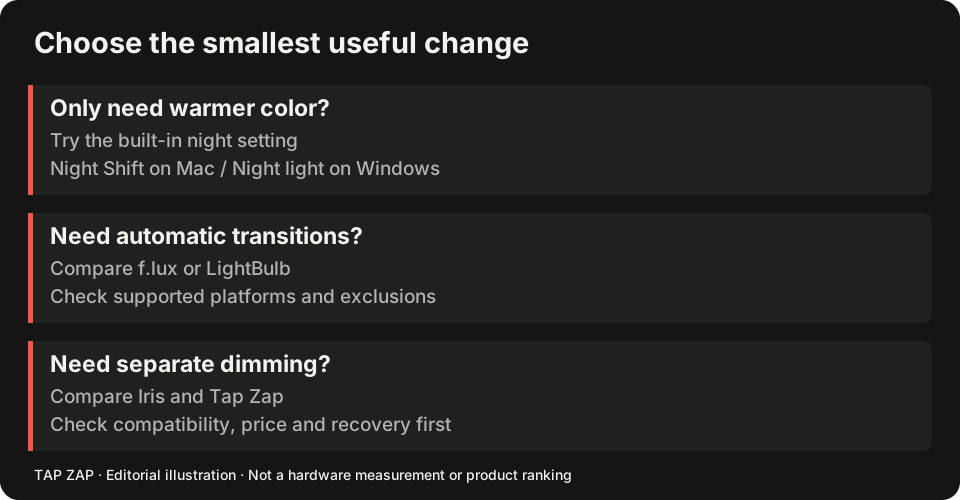
If app exclusions are missing, compare LightBulb and f.lux
LightBulb documents an application whitelist, hotkeys, gamma transitions and manual/solar schedules. f.lux documents app disabling and additional effects on Windows. These are strong candidates when you want normal colors in a particular app without manually switching a whole-desktop filter. LightBulb controls f.lux Windows controls
Test your actual executable, especially when a launcher starts another process. Add the application and confirm that entering and leaving it changes the filter as intended. A feature list is not proof that an exclusion identifies every game or browser window correctly.
If brightness or a USB display is the gap, test that task directly
Iris and Tap Zap provide software image dimming. Iris documents a Windows high-level API for certain USB displays. Tap Zap’s default Windows renderer uses a color matrix, with a Legacy gamma option. These are different display paths, and none establishes universal HDR, protected-video or fullscreen support. Iris display-path advice
Compare a fixed hardware setting with modest software dimming and inspect shadow detail. See what dimming changes, Iris license and control comparison, and connection-specific checks. Apple Night Shift is not a Windows replacement.
A Windows switch test
Keep the driver, refresh rate and HDR setting unchanged while comparing apps. If you later change one, repeat the relevant test.
- Turn Night light and other filter schedules off.
- Test a light document, dark image and app exception in one candidate.
- Check the tray control, OFF and Quit before testing fullscreen content.
- Test sleep/wake and dock reconnect; keep the free built-in option if it already meets the need.
Sources and scope
Researched on 3 October 2026 using official product pages and documentation. Tap Zap’s maintained source was also checked for its controls and known compatibility limits. We did not conduct controlled hardware, medical, or performance tests for this article. Prices and features can change; confirm current terms before purchase.
- f.lux FAQ and licensing
- f.lux product page
- f.lux Mac guide
- f.lux Windows features
- Iris external-monitor guide
- Iris pricing and license terms
- Iris product page
- LightBulb features and releases
- LightBulb MIT license
- Microsoft Night light and display guide
- Tap Zap downloads
- Tap Zap FAQ
- Tap Zap product page
- Tap Zap refund policy
Known Tap Zap limitation: some M5 Pro/Max configurations remain unresolved. Mac/Windows has no free trial; see the FAQ and refund policy. The Linux edition is a separate free experimental beta.
See Tap Zap on your setup.
Check requirements and installation details before choosing the paid Mac/Windows edition. A free option may cover everything you need.