 TAP ZAP
Choose an alternative by need
| Option | Choose it when | Tradeoff to check |
|---|---|---|
| f.lux Mac and Windows; a Linux download is also listed | Mac/Windows: free automatic warmth and app disabling | Does not replace the full Iris adjustment toolkit. |
| Apple Night Shift Supported Macs on macOS Sierra 10.12.4 or later | Mac: no-install warmth | No Iris-style advanced tool collection or independent software dimming. |
| Windows Night light Windows 10 and 11, subject to display-driver support | Windows: no-install warmth | Certain drivers are unsupported; brightness remains a separate control. |
| LightBulb Windows desktop app | Windows: free hotkeys and app whitelist | Verify the display path; advanced Iris tools are not equivalent. |
| Tap Zap macOS 12+ and Windows 10+; separate free Linux beta | Mac/Windows: compact presets, image dimming, three-device license | Higher one-device upfront cost than Iris Pro; advanced-tool parity is not claimed. |
Inventory features before comparing prices
List the Iris settings you actually use: manual color, brightness, effects, magnification, font rendering, schedule and selected API. Mark each essential or optional. A free app is a saving only if it retains the essential behavior. A feature listed on the Iris product page may also depend on edition or platform. Iris feature list
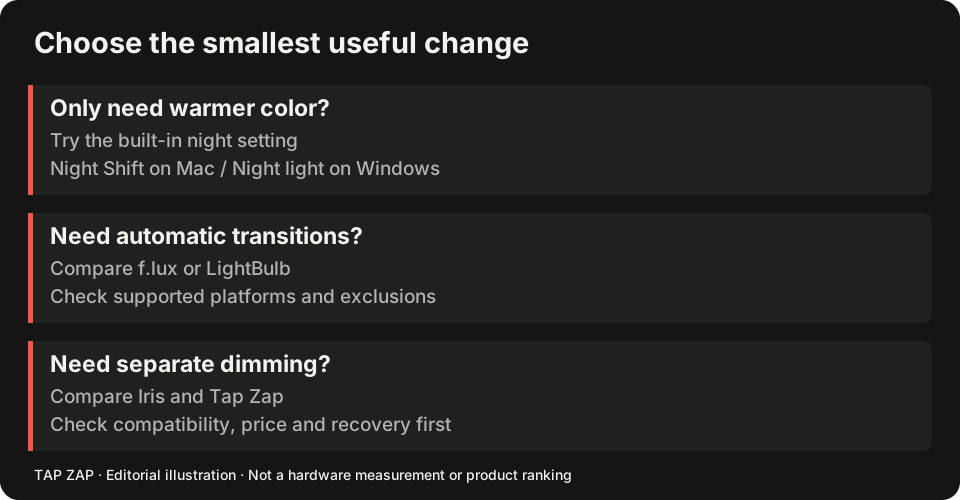
For a warmth-only setup, test Night Shift or Night light first. For a smaller paid interface, read the Tap Zap vs Iris comparison. It separates the purchase decision from the larger replacement shortlist.
Do not discard a working monitor path
Iris’s monitor article recommends its Windows high-level API for USB-connected displays and says that path is not available in its Mac or Linux editions. That is a concrete reason a Windows Iris user might stay. It is vendor guidance, not our controlled certification of every USB dock. Platform-specific monitor API
Write down direct HDMI/DisplayPort versus dock/USB connections and test the failing display separately. A different control panel cannot repair every driver limitation. The multi-monitor guide shows what to record and how to separate a shared control from independent per-monitor adjustment.
Compare the exact license package
Iris Pro is listed at $14.99 for one device at a time, with minor builds/bug fixes but not program updates included; the $1.99 monthly subscription includes future versions. Iris mini Pro is a different $9.99 product. Tap Zap is $39 USD one-time for three devices and lifetime updates. Compare the edition you would actually buy. Iris pricing terms
The budget guide works through device-count costs. Do not buy three seats merely to save against a hypothetical need when one working free tool solves today’s task.
Replace one essential task at a time
Keep Iris installed while evaluating a replacement with its filter disabled. Avoid two active color utilities, which can overwrite each other’s adjustments.
- Capture your essential Iris settings and API selection.
- Test readable text, the usual advanced tool and all monitors in one replacement.
- Verify ordinary colors after OFF and Quit, then after sleep/wake.
- Return to Iris if a required feature or display path is missing; remove it only after the replacement passes.
Sources and scope
Researched on 3 October 2026 using official product pages and documentation. Tap Zap’s maintained source was also checked for its controls and known compatibility limits. We did not conduct controlled hardware, medical, or performance tests for this article. Prices and features can change; confirm current terms before purchase.
- f.lux FAQ and licensing
- f.lux product page
- f.lux Mac guide
- f.lux Windows features
- Iris external-monitor guide
- Iris pricing and license terms
- Iris product page
- LightBulb features and releases
- LightBulb MIT license
- Microsoft Night light and display guide
- Apple Night Shift guide
- Tap Zap downloads
- Tap Zap FAQ
- Tap Zap product page
- Tap Zap refund policy
Known Tap Zap limitation: some M5 Pro/Max configurations remain unresolved. Mac/Windows has no free trial; see the FAQ and refund policy. The Linux edition is a separate free experimental beta.
See Tap Zap on your setup.
Check requirements and installation details before choosing the paid Mac/Windows edition. A free option may cover everything you need.