A label is the start of a question
“Flicker-free” can refer to a particular brightness-control method or a test performed under specific conditions. Ask what was measured, over which range, and on which exact panel. A statement about one model or one backlight method does not describe every source of temporal modulation.
Do not assume the same product name guarantees the same panel revision. Screen size, supplier, firmware and mode can change the relevance of a report. If the seller supplies only a badge, the waveform and operating range remain unknown.
Annotate the report before comparing products
| Evidence field | What a useful report supplies | Why a missing field matters |
|---|---|---|
| Identity | Exact device/display, panel revision where available, firmware. | A related model may behave differently. |
| Operating state | Hardware brightness, SDR/HDR, refresh rate, power mode, content. | One operating state cannot certify every setting. |
| Measurement | Instrument, sampling/bandwidth, setup and waveform. | A number without a method may hide other components. |
| Interpretation | Frequency, modulation metrics and their definitions. | A frequency alone does not describe waveform depth or a medical outcome. |
Illustrative claim: “No brightness-control PWM observed at settings 60–100% in SDR 60 Hz, using instrument X under stated content.” Its useful scope is that device and those conditions. It does not establish 20% brightness, HDR, another panel revision or an individual health outcome. This is an invented example of how to read a claim, not a measurement of a named product.
Use camera evidence for its actual purpose
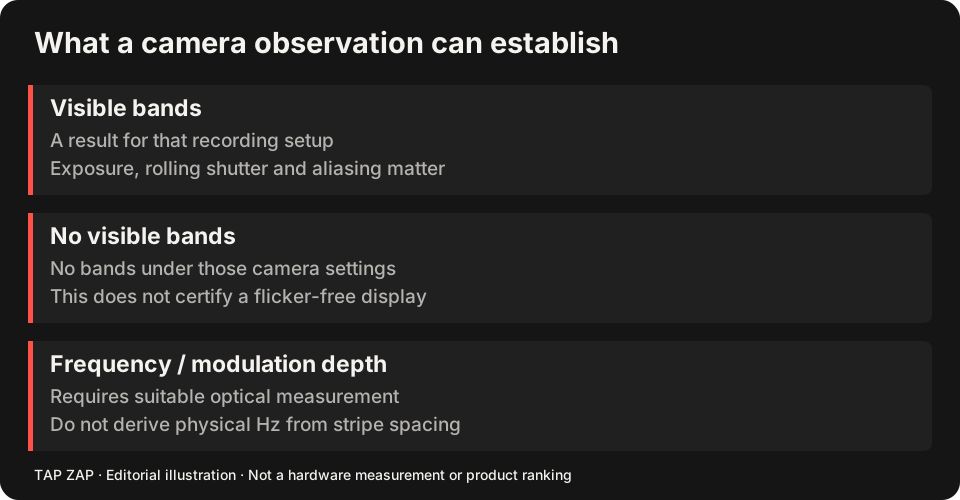
A phone can record bands, but exposure and rolling-shutter timing affect the pattern. The camera comparison guide gives a reproducible observation format. A clean clip cannot certify absence of modulation, and visible bands alone cannot identify frequency, depth or safety.
If temporal-light behavior is central to a purchase, seek appropriate optical measurements for the exact display and intended range. Keep the return policy in view so you can assess the actual work setup; subjective usability and optical measurements answer different questions.
Separate the software claim from the panel claim
Tap Zap can change image brightness and warmth while hardware brightness stays fixed. That feature does not certify the display as flicker-free. A higher hardware range may help on a measured panel, but maximum brightness is not a universal rule. Read software dimming and PWM for the two mechanisms.
Compare grayscale detail, text, restoration and power tradeoffs before relying on the combined strategy. Do not turn “the app changed the picture” into “the app eliminated the panel’s modulation.”
A purchasing decision with honest unknowns
Keep a short list of required modes and the measurements available for each. Mark untested conditions unknown. If a seller cannot specify the basis of a claim, compare products using the evidence they do provide rather than assigning an invented safety score.
The screen-control comparisons describe documented software features. The transfer-table reference explains why software success/readback is a separate form of evidence.
About this guide
Written by Tap Zap. We make the software discussed here. Updated 10 October 2026 to distinguish product behavior from display-specific measurements and health outcomes. The linked documentation and studies explain the scope of these claims. Read our editorial policy, evidence limits and corrections process.
Compare screen controls · All guides · Downloads and compatibility