The quick check is a camera observation
A phone recording can reveal changes in banding as you alter a display setting. It is not a calibrated flicker meter. The “60 seconds” is enough for a preliminary look, not a complete measurement protocol or a certification that the screen is safe.
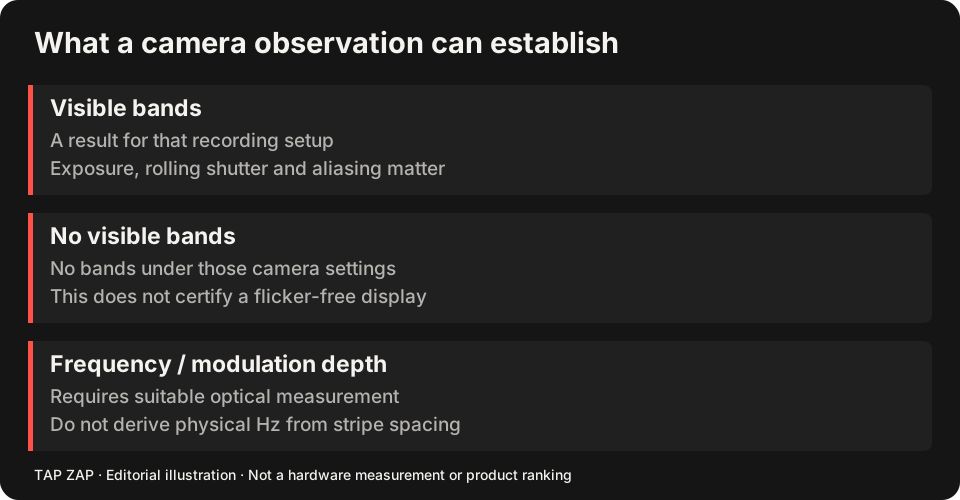
The camera comparison tool is useful only within that scope. A band pattern or camera-derived estimate must not be treated as certified display frequency or modulation depth. A clean recording also cannot establish the absence of modulation.
Record a baseline with conditions attached
Use a plain light patch and keep the phone stationary, filling a similar part of the frame each time. Record phone model, camera/app, frame rate, shutter/exposure, ISO if available, display model, hardware brightness, refresh rate, SDR/HDR and room lighting. Lock exposure where the camera permits it; otherwise note that the camera remained automatic.
Take one clip at the ordinary comfortable hardware setting. Take another at a second comfortable setting without changing the test image or framing. Do not force maximum brightness. If room lamps might contribute their own modulation, make a separate comparison under other room lighting and label that change.
Why rows become bands
Many cameras expose sensor rows at different times. Basler’s shutter documentation describes rolling-shutter readout. A time-varying light signal can therefore appear as stripes, with a pattern affected by exposure, frame rate and the relationship between camera timing and display refresh.
Changing shutter speed while the display stays unchanged can change the recorded bands. The camera may average out a waveform or sample it in an unhelpful way. Counting stripes is not a reliable shortcut to a display’s PWM frequency, and band contrast is not automatically its optical modulation depth.
Compare image dimming as a separate variable
Keep hardware brightness fixed. Record the same patch with Tap Zap off, then with modest software brightness. Label the software setting. This can document an image change and a camera pattern under those conditions; it does not show that the app changed the hardware PWM controller.
For example, write “phone X, 120 fps, auto exposure, display Y SDR 60 Hz, hardware 50%, software off/on.” If automatic exposure brightens the second clip, it is no longer an exposure-matched comparison. See software dimming and PWM and hardware brightness for the different controls.
What to do with the result
Save the original clips and conditions. Report “visible bands under these camera settings” or “no visible bands in this clip,” not “safe,” “unsafe” or “flicker-free.” If you need a frequency, waveform or modulation-depth claim, obtain suitable optical equipment and a documented measurement method.
For buying, look for exact-model measurements in the operating range you will use. The flicker-free buying checklist explains how to read those reports. There are no newly measured sample clips or optical certification results presented by this article.
About this guide
Written by Tap Zap. We make the software discussed here. Updated 10 October 2026 to distinguish product behavior from display-specific measurements and health outcomes. The linked documentation and studies explain the scope of these claims. Read our editorial policy, evidence limits and corrections process.
Compare screen controls · All guides · Downloads and compatibility