Two controls can move independently
Automatic brightness changes a hardware/display setting based on sensors or other device behavior. Software dimming changes image output separately. When both operate, a document can become darker or change as room light changes. This is not proof that automatic brightness is generally harmful.
A display whose modulation changes with hardware brightness might also enter a different operating range. That is model-dependent; neither an automatic-brightness toggle nor a slider percentage measures the waveform.
Find every automatic controller in the setup
On Mac, inspect Displays and the available automatic brightness control for that display; availability depends on hardware. Apple’s brightness guide distinguishes available controls. Record True Tone separately because it changes color appearance rather than being the same setting as brightness.
On Windows, open Settings → System → Display and inspect the available automatic/adaptive brightness options. Microsoft’s display guide explains that controls vary by device. A monitor can also have its own ambient-light sensor, dynamic contrast or eco setting in its menu. Check those independently.
Run four observations instead of guessing
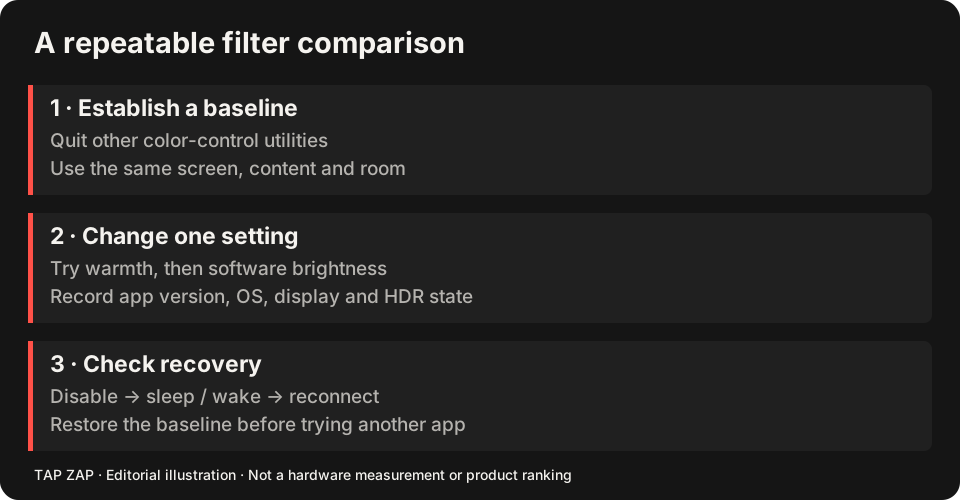
In one room with a fixed document, first record hardware automatic brightness on with software dimming off. Next record a comfortable fixed hardware setting with dimming off. Then enable modest software dimming at that fixed setting. Finally re-enable hardware automation while keeping software dimming unchanged. This separates each control’s contribution.
Label each observation with hardware setting/automation, software setting, room conditions, battery/AC and display mode. The goal is a predictable usable setup, not a numerical luminance conclusion from slider positions. If the room changes, that is a new condition to record.
Interpret the failure narrowly
If only the automated condition changes unexpectedly, investigate the sensor or content-adaptive setting. If the fixed setting also changes, check other color utilities, profile changes, power modes and display reconnects. Do not change the driver, profile, warmth and brightness simultaneously.
If automation is helpful, keep it. If it makes image dimming unpredictable, use a comfortable fixed setting and revisit it when room lighting changes. The hardware-brightness strategy does not require 100% universally; the camera check cannot certify an optical outcome.
Verify the selected workflow
Test ordinary colors with OFF and Quit, then wake and battery/AC operation. For external screens, use the display-path record and test each monitor’s own sensor. The Mac and Windows guides compare suitable warmth tools after you have identified the moving control.
About this guide
Written by Tap Zap. We make the software discussed here. Updated 10 October 2026 to distinguish product behavior from display-specific measurements and health outcomes. The linked documentation and studies explain the scope of these claims. Read our editorial policy, evidence limits and corrections process.
Compare screen controls · All guides · Downloads and compatibility