PWM example: time changes average output
In an idealized PWM model, a light source alternates between an on level and zero. Duty cycle is the fraction of each cycle spent on. At 240 Hz, one cycle lasts 1/240 second, or about 4.17 milliseconds. At 30% duty, it is on for about 1.25 ms and off for about 2.92 ms.
With a fixed on level and a zero off level, the average is 30% of the on level. If the off level is nonzero, the average is D × L_on + (1 − D) × L_off. This calculation describes the assumed waveform; it does not identify a real display’s frequency or predict a medical effect. Real waveforms can contain multiple components.
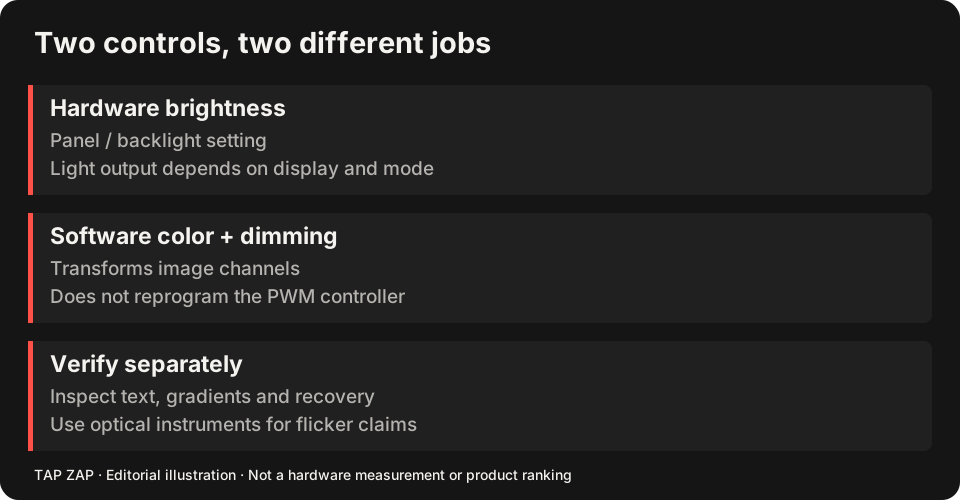
Software example: values change, not a PWM timer
For a separate illustrative image transform, let each normalized channel x map to 0.5 × x. Neutral input RGB (1, 1, 1) maps to (0.5, 0.5, 0.5); (0.4, 0.4, 0.4) maps to (0.2, 0.2, 0.2). The image is darker, but the operation has not changed the ideal PWM clock or duty cycle above.
Normalized code values are not linear measurements of emitted luminance. The display transfer function, profile, mode and content affect the physical result. Real Tap Zap curves are not claimed to be this toy transform. The gamma/transfer-table reference explains mapping and output precision in more detail.
Combining them does not prove a flicker-free panel
On a suitable LCD, retaining a hardware setting with useful measured behavior while dimming image values can be practical. You must first establish that the display/mode behaves as assumed. The hardware-brightness guide explains why maximum brightness is a hypothesis to check rather than a universal rule.
Tap Zap uses Mac transfer-table adjustments and a Windows color matrix by default, with a Legacy gamma option. These operate on image output. They do not measure emitted spectra or replace the panel controller. OLED/content-dependent paths and HDR require separate evaluation.
What can be lost when the image is compressed
Dark values may become harder to distinguish, gradients can band, and color appearance changes. An LCD backlight left high can consume more power and retain a higher black level. Try the same gray ramp and small text with modest dimming, then toggle it off. Reject settings that hide details you need.
For choosing tools, the f.lux comparison acknowledges its dimming and red modes, and the Iris comparison covers its broader adjustment tools. None of these software features alone certifies physical flicker elimination.
Keep each type of evidence attached to its claim
A visible desktop change establishes that an adjustment appeared to work. A saved screenshot can document image values and interface state. API success/readback can document the requested transform. A phone clip can document camera banding under its recorded conditions. Numerical optical claims need suitable instruments and methods; a clean clip or successful write is not a universal safety verdict.
About this guide
Written by Tap Zap. We make the software discussed here. Updated 10 October 2026 to distinguish product behavior from display-specific measurements and health outcomes. The linked documentation and studies explain the scope of these claims. Read our editorial policy, evidence limits and corrections process.
Compare screen controls · All guides · Downloads and compatibility